Resources

Example Features

Small, focused ADISRA SmartView projects — each one shows a single feature in action: databases, trends, alarms, recipes, C# scripting, third-party integration, and more. Download a project and open it in the development environment.

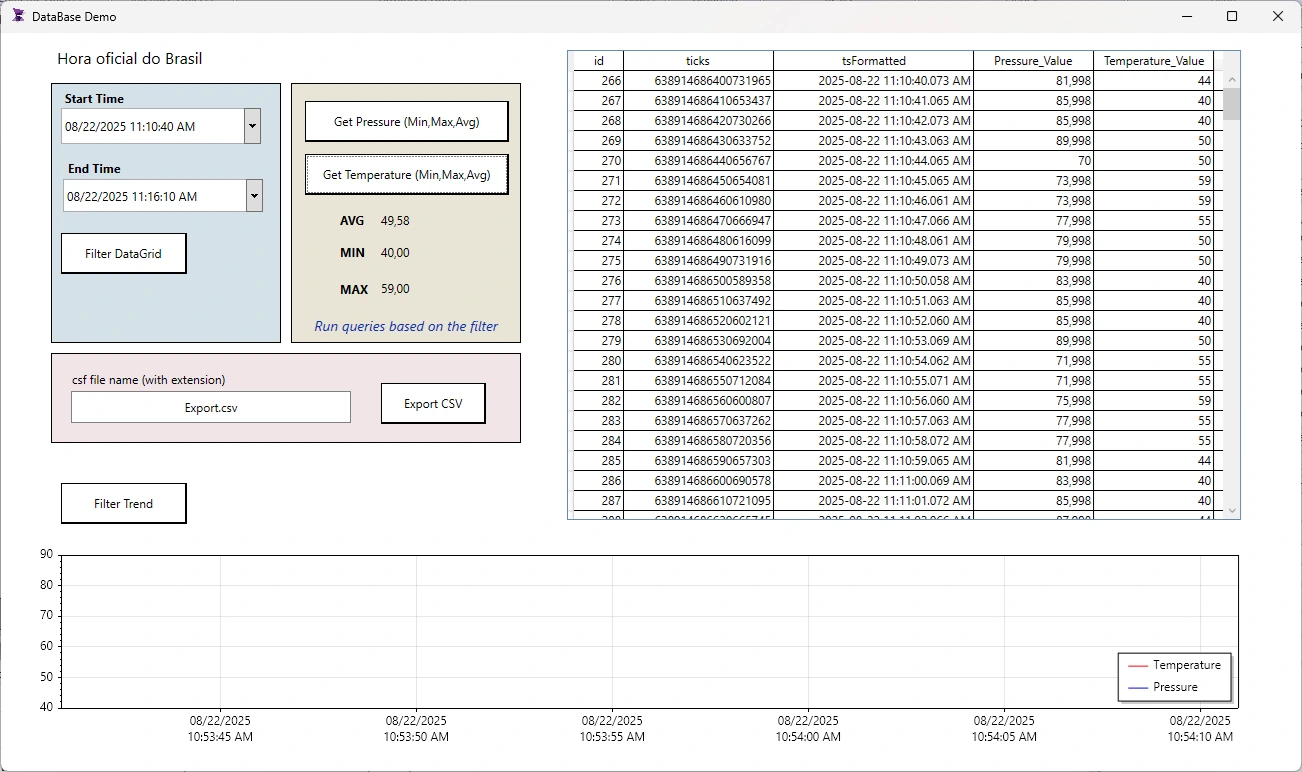
DataBase Demo — ADISRA SmartView screen

DataBase Demo

The Database Demo showcases the powerful database integration and visualization capabilities of ADISRA SmartView, featuring a dynamic DataGrid with filtering options, trend visualization with adjustable update times, and a DateTime picker for precise time-based analysis. It highlights the use of SQL commands such as AVG, MIN, and MAX for advanced data processing, alongside the ability to export filtered and processed data to CSV files for reporting and sharing.

Features
  • Datagrid object
  • Trend object
  • Tag History
  • DataBase Connections
Download .zip
MultiTagViewer Demo — ADISRA SmartView screen

MultiTagViewer Demo

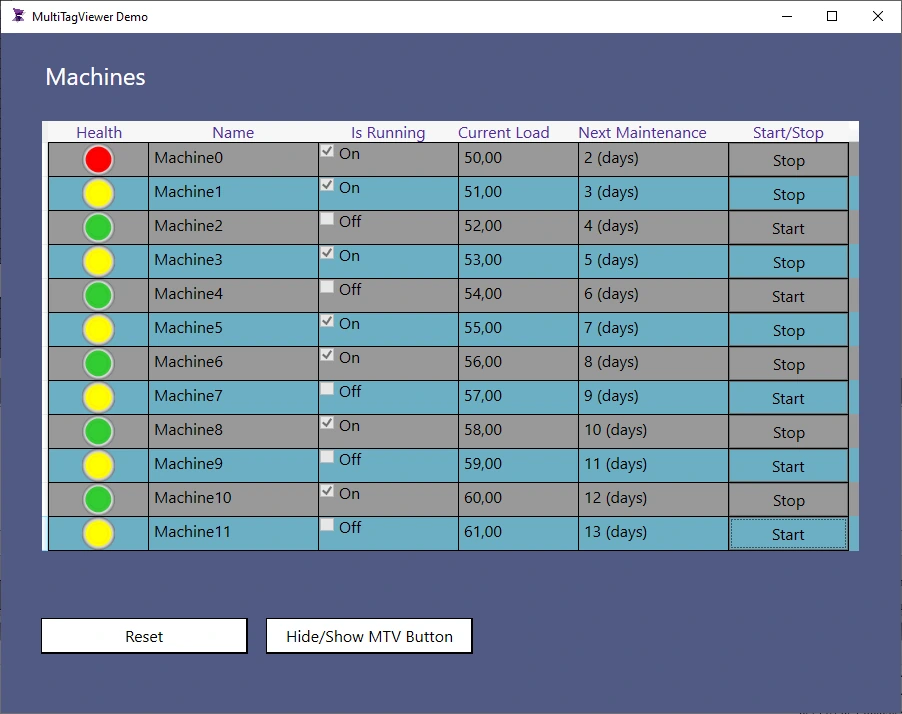
This demo uses different MultiTagViewer features. The MultiTagViewer (MTV) displays data from different types of tags, mostly used to display arrays (of data types or simple arrays) but it can also display properties of a simple tag. It helps the user to create a functional table with different types of columns.

Features
  • Different column types usage
  • C# Ternary Expressions
  • Mouse Down event script
  • Array of DataType
  • MultiTagViewer HideColumn and ShowColumn function
Download .zip
Matrix Demo — ADISRA SmartView screen

Matrix Demo

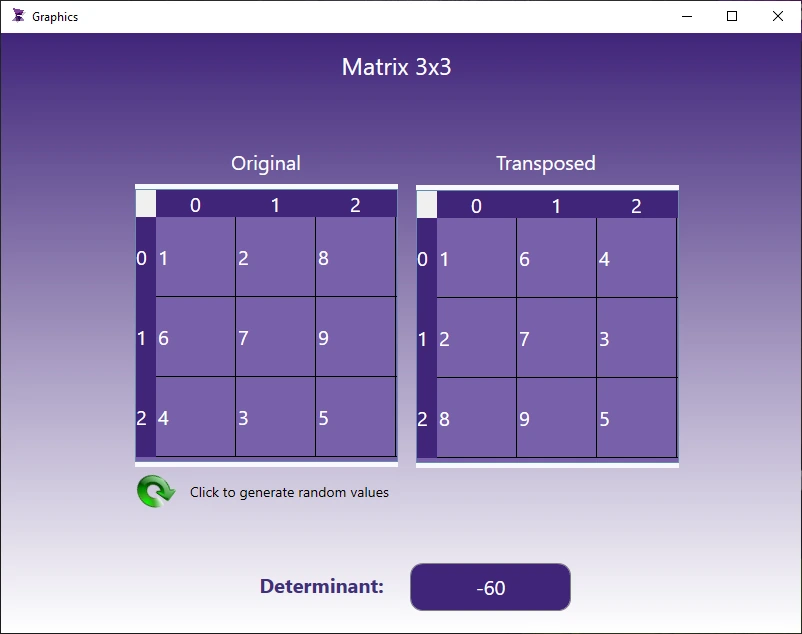
This demo makes use of a 2 dimensional array (Matrix) and performs a few operations over it. A Matrix is a very common way of structuring information and very useful for encoding linear information and manipulating it. Many of the standard techniques of linear algebra are thought of in terms of vectors and matrices. This application allows generating random values to the 3×3 matrix or inputing values directly. The OnWhile event transposes the matrix into a new matrix and also calculates the determinant of the matrix.

Features
  • 2 Dimensional array tag
  • MatrixGrid object
  • UserFunction
  • OnWhile event
Download .zip
Trend Demo — ADISRA SmartView screen

Trend Demo

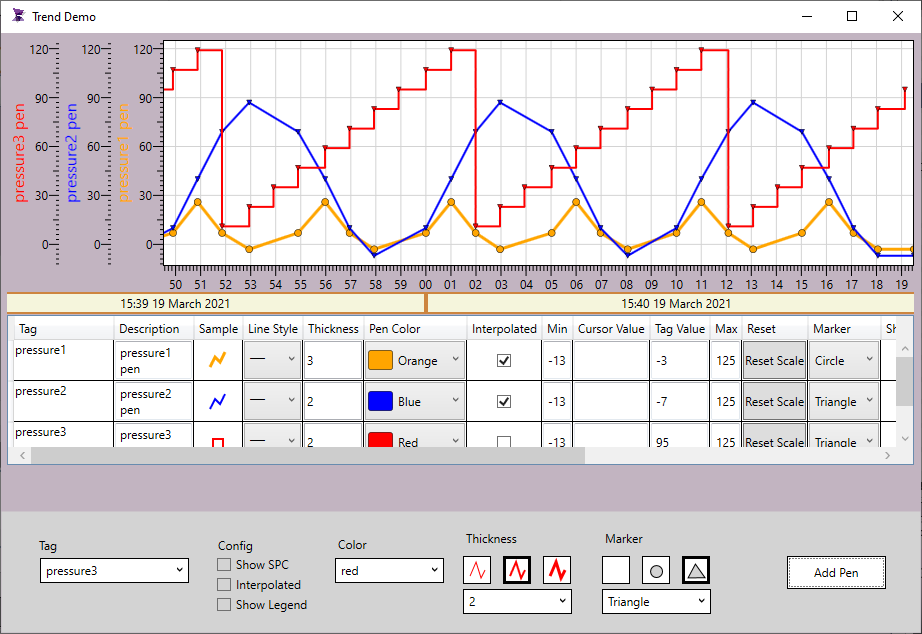
This demo demonstrates how to add new pens to a Trend object using the scripts. The Trend function used to add new pens allows configuring different parameters such as pen thickness, color, marker, spc, legend and interpolation.

Features
  • Trend object
  • ComboBox
  • CheckBox
  • Object scripts
  • Mouse Up event
Download .zip
Save Trend Preferences — ADISRA SmartView screen

Save Trend Preferences

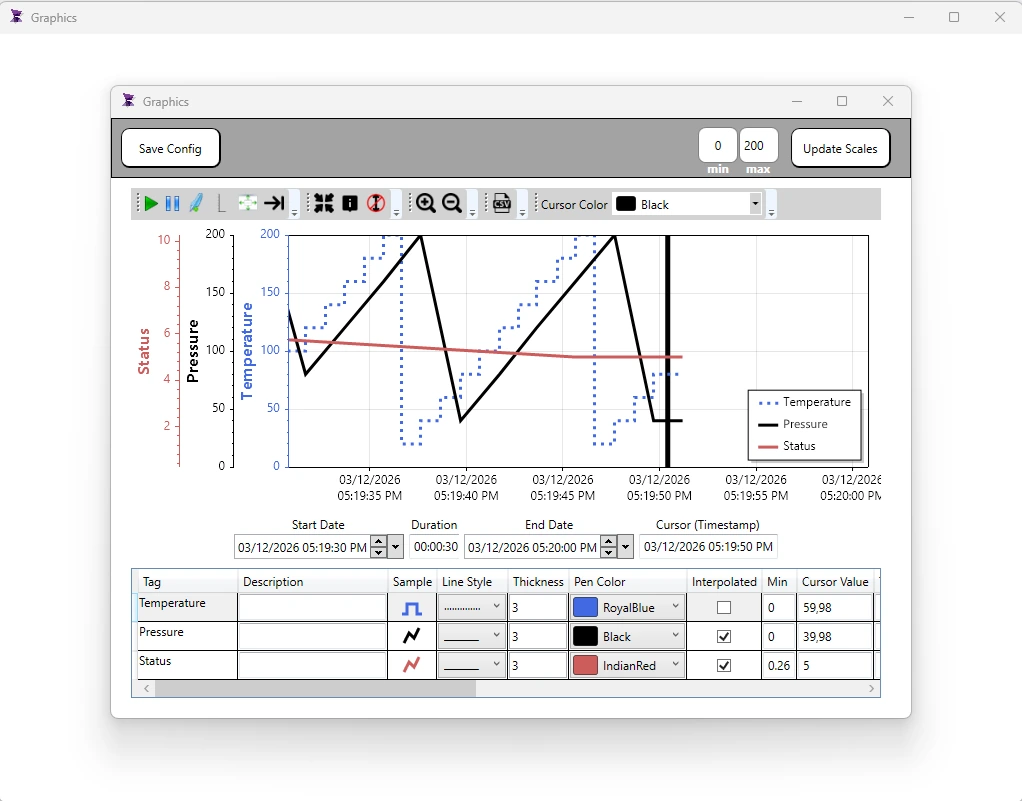
This demo demonstrates how save and load a trend configuration. By default, whenever the Trend is reloaded, it uses the default configuration and loses the users configuration such as new pen color, new pen style, pen thickness, tags added or removed, etc… In this demo you will learn how easy it is to save and load the configuration by script.

Features
  • Trend object
  • Script
  • SaveConfig
  • LoadConfig
Download .zip
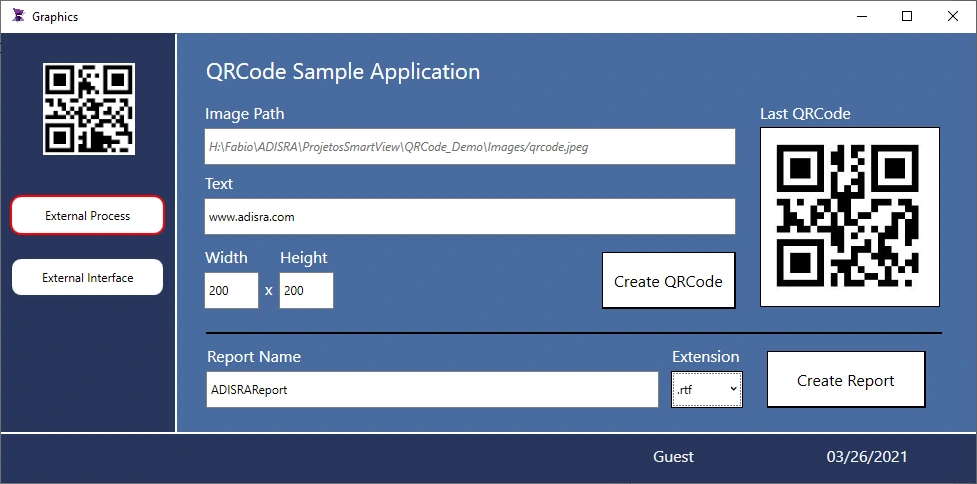
Third Party Software Integration — ADISRA SmartView screen

Third Party Software Integration

This demo integrates with a QR Code generator third party software developed by ADISRA. The application uses the SVApplications.Run function to execute the third party software and provides configuration parameters when executing it. The demo provides information on how to integrate any external software with ADISRA SmartView. The application also generates a report using the QRCode generated

Features
  • System Function Library (SVFile, SVReports)
  • Third Party Software
  • Reports
Download .zip
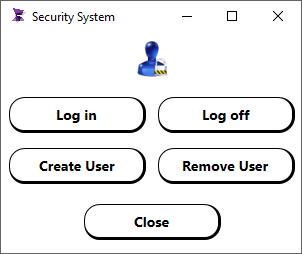
Security Management Demo — ADISRA SmartView screen

Security Management Demo

This demo allows managing users during runtime. It demonstrates how to create a new user, remove, login and logoff.

Features
  • System Function Library (SVSecurity)
Download .zip
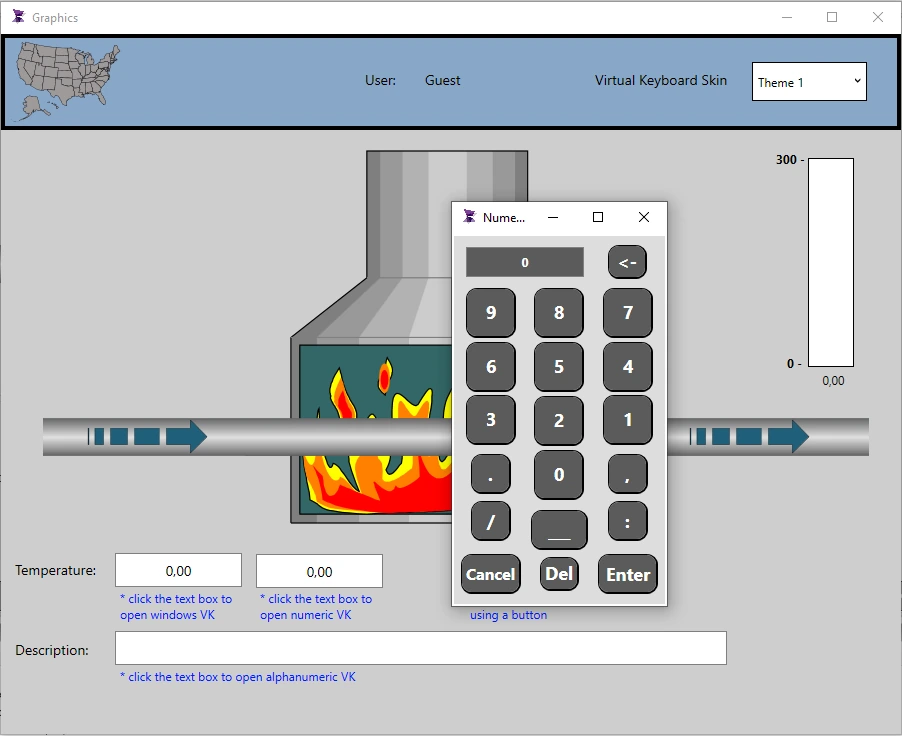
Virtual Keyboard Demo — ADISRA SmartView screen

Virtual Keyboard Demo

This demo shows how to use a numeric/alphanumeric keyboard developed as a screen template.

Features
  • Numeric Keyboard
  • Alphanumeric Keyboard
  • Screen Template
Download .zip
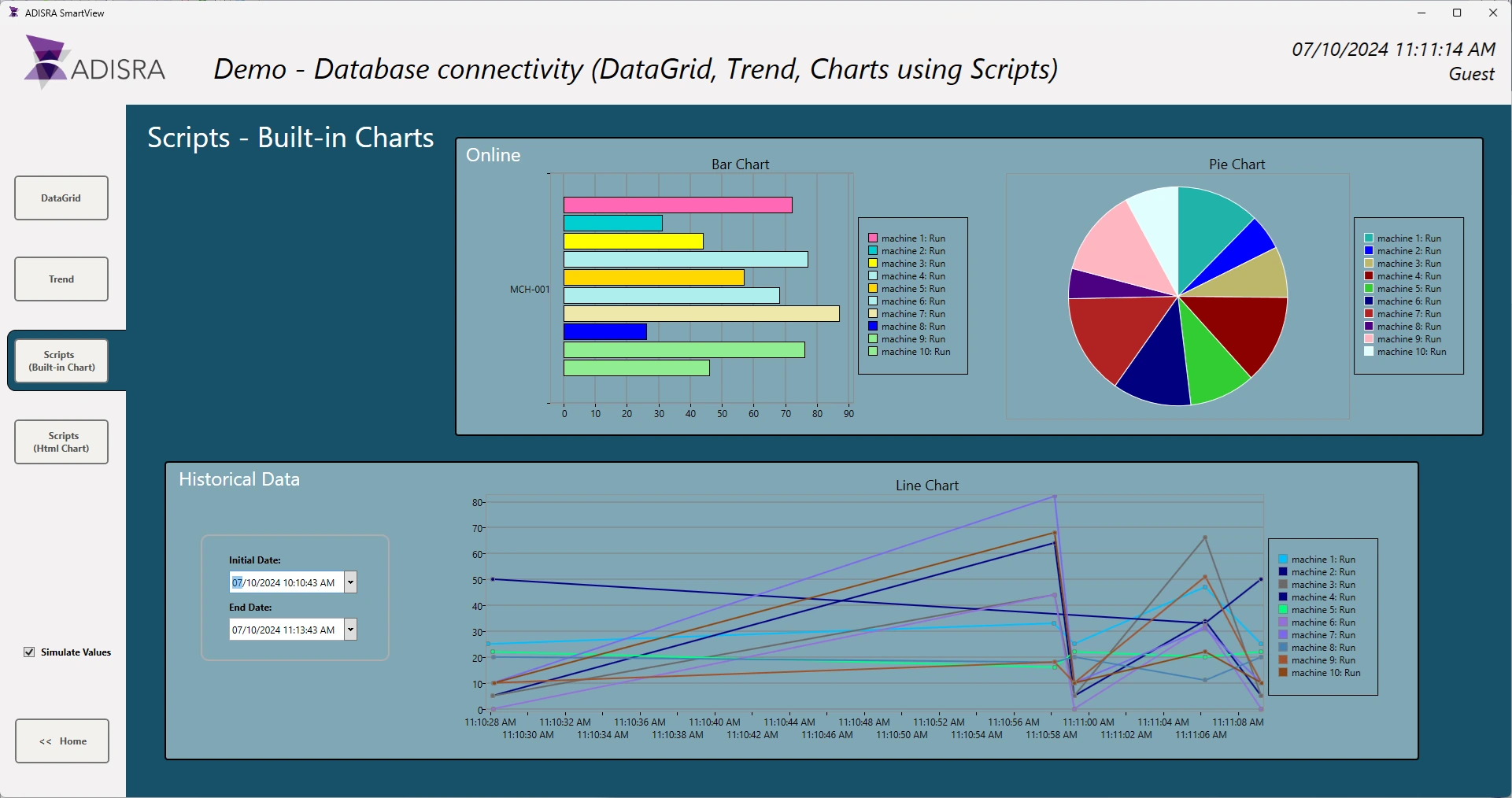
Database Connectivity — ADISRA SmartView screen

Database Connectivity

This demo shows different types of database connectivity. Please check the video below for further information

Watch the video
Features
  • Database connection
  • Tag History, SVDatabase, Scripts
  • Trend, DataGrid, Builtin Charts and External Html Chart
Download .zip
TreeView-Like Structure — ADISRA SmartView screen

TreeView-Like Structure

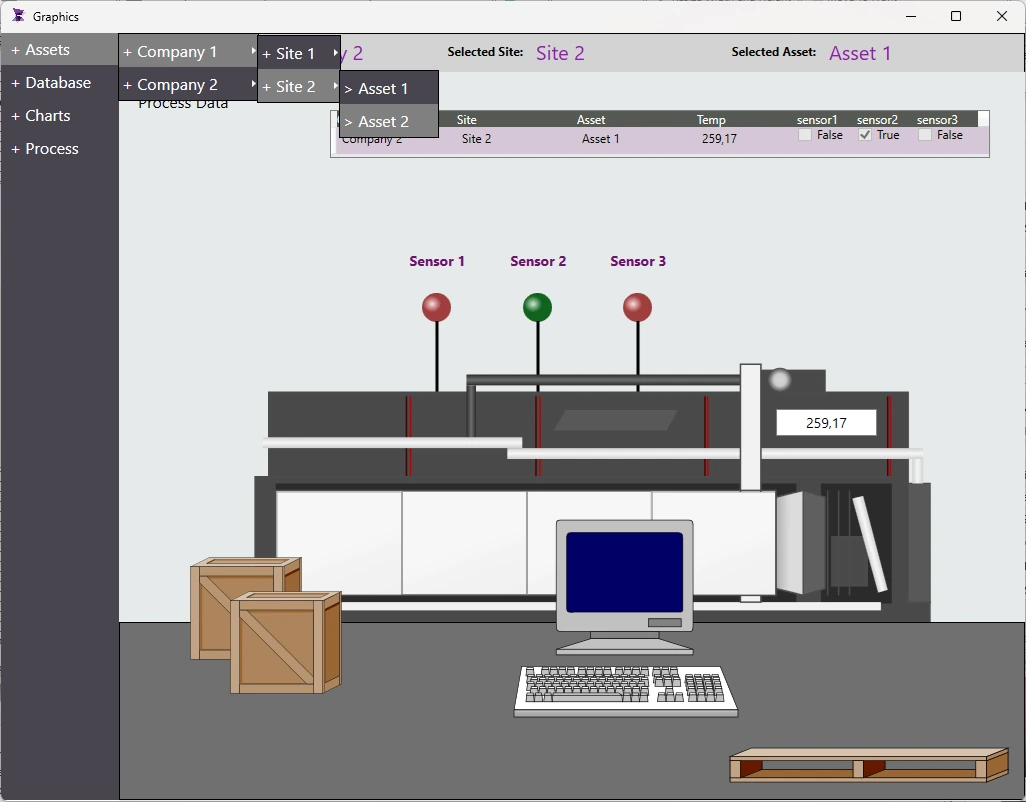
This demo showcases how to use the Menu object to create a structure that resembles a Tree View. It can be used to organize information, navigate through options, or execute commands upon clicking.

Features
  • Menu Object
  • Navigation
Download .zip
Alarm History Export Demo — ADISRA SmartView screen

Alarm History Export Demo

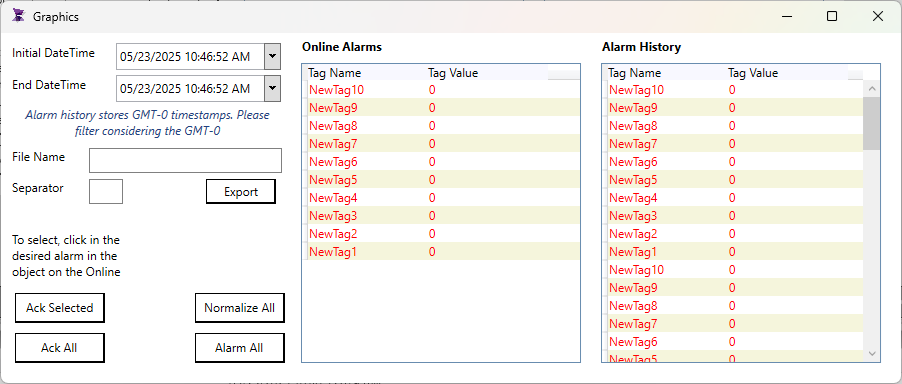
This demo shows how to export the built-in stored alarm history. It provides a functionality to select a datetime range and export the alarm history into a csv format.

Features
  • Alarms
  • Scripts
  • DateTime Pìcker
Download .zip
Alarm&Event History Demo — ADISRA SmartView screen

Alarm&Event History Demo

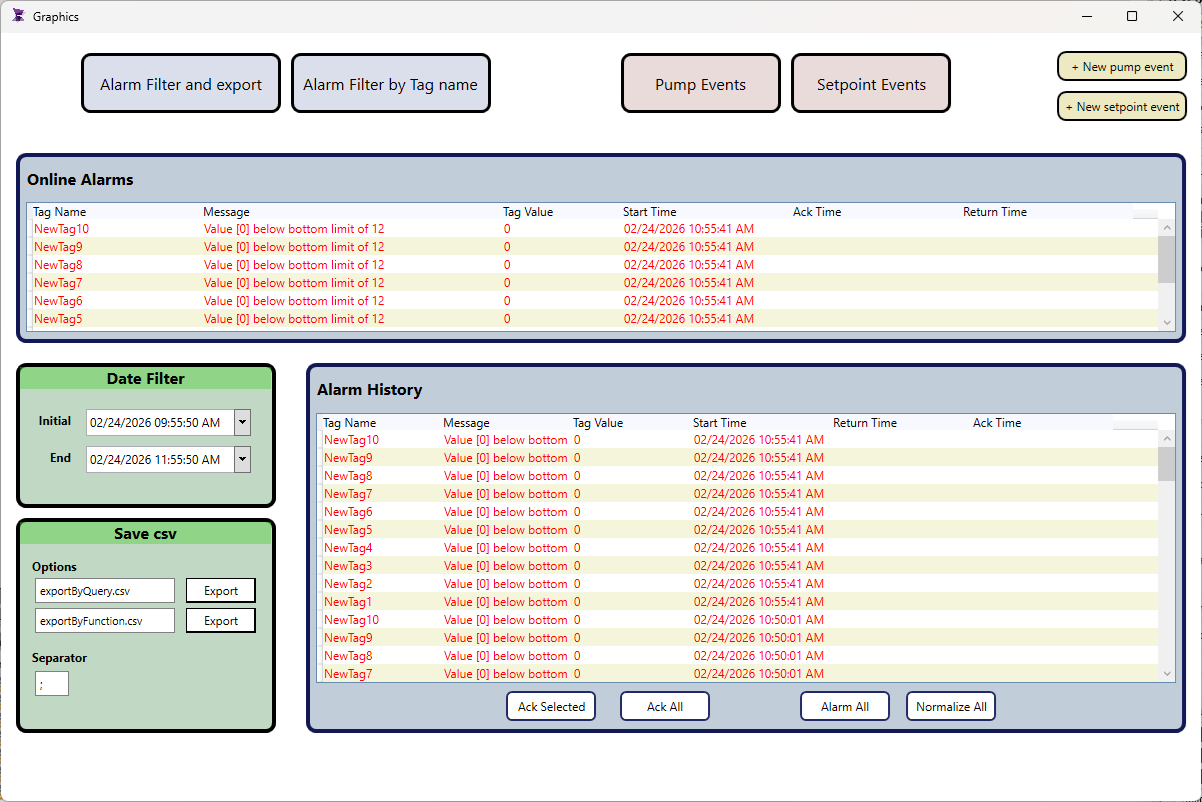
This demo shows how to manage alarms and events using a database connection. The screens have alarms and events filtered by date time range and functions to export the historical data.

Features
  • Alarms&Events
  • Scripts
  • DateTime Pìcker
  • SQL Server
Download .zip
Alarm Indicator blinks when alarm screen is closed — ADISRA SmartView screen

Alarm Indicator blinks when alarm screen is closed

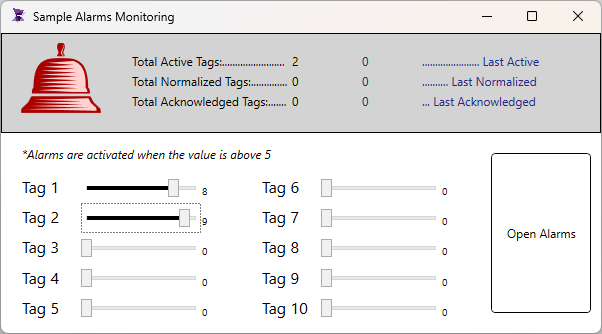
This demo app has an alarm blinking whenever a new alarm was activated or changed status while the alarm screen was closed. After opening the screen, the alarm blinking stops.

Features
  • Alarms
  • Scripts
Download .zip
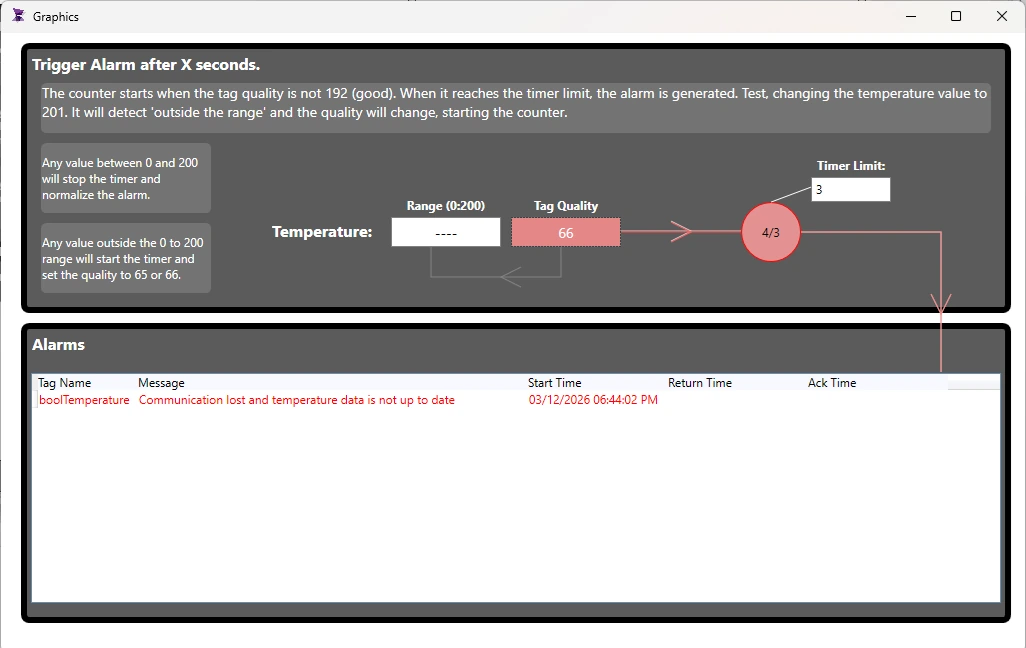
Activate Alarm when Tag communication fails — ADISRA SmartView screen

Activate Alarm when Tag communication fails

This demo app demonstrates how to generate an alarm whenever a tag quality is not good (indicating an invalid value or a communication failure). It waits for X seconds before the alarm is activated, working as a timeout.

Features
  • Alarms
  • Scripts
Download .zip
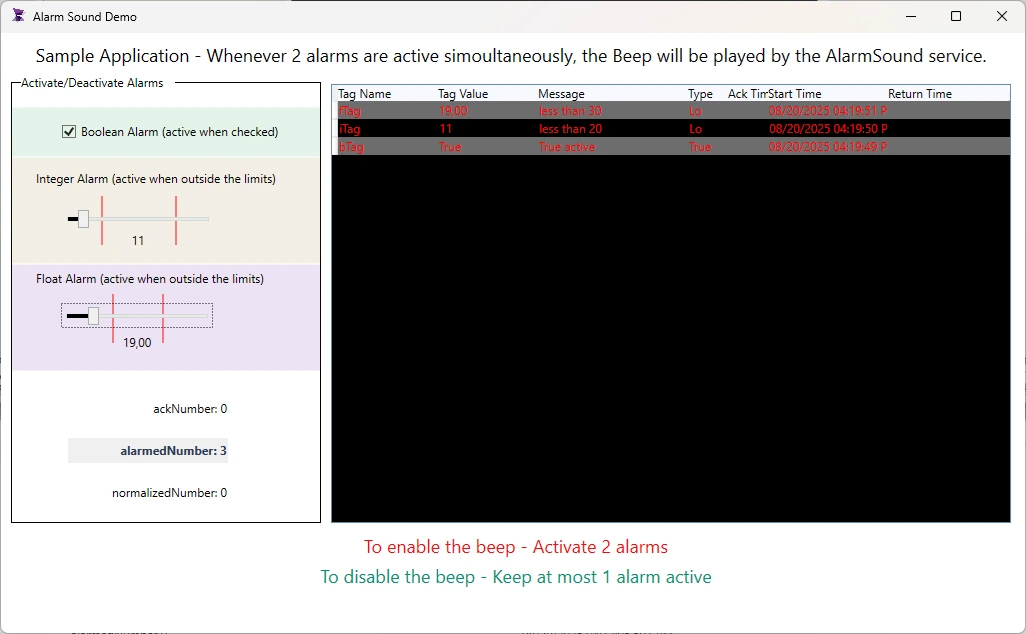
Alarm Sound Demo — ADISRA SmartView screen

Alarm Sound Demo

In this demo, we'll be observing how audible beeps are automatically activated whenever a tag ventures outside of its predefined acceptable value range (up to 2 alarms), providing an immediate alert.

Features
  • Alarms
  • Scripts
  • System Functions (Beep)
Download .zip
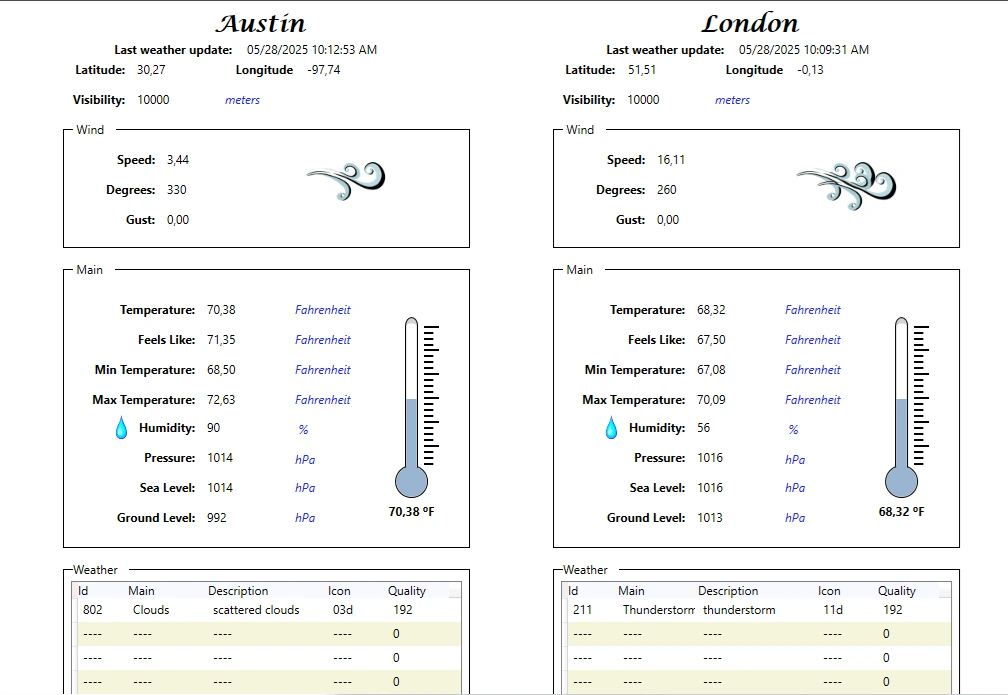
Open Weather — ADISRA SmartView screen

Open Weather

This demo presents a weather monitoring system. We collect and process data on rainfall, including humidity, temperature and wind speed to provide accurate and up-to-date information on weather conditions.

Features
  • Services
  • Scripts
  • Templates
Download .zip
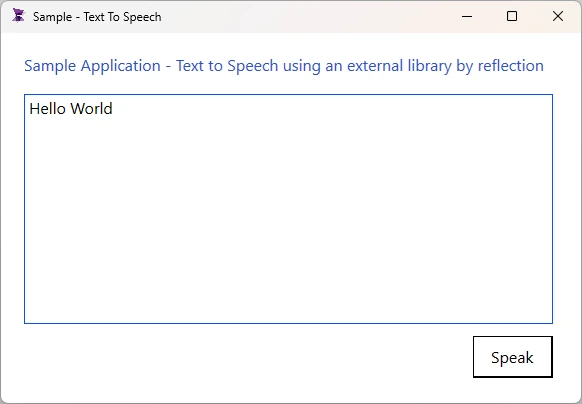
Text to Sound Demo — ADISRA SmartView screen

Text to Sound Demo

In this demo, we will demonstrate in a simple and direct way how to transform text into speech.

Features
  • Scripts
  • External library
  • Reflection
Download .zip
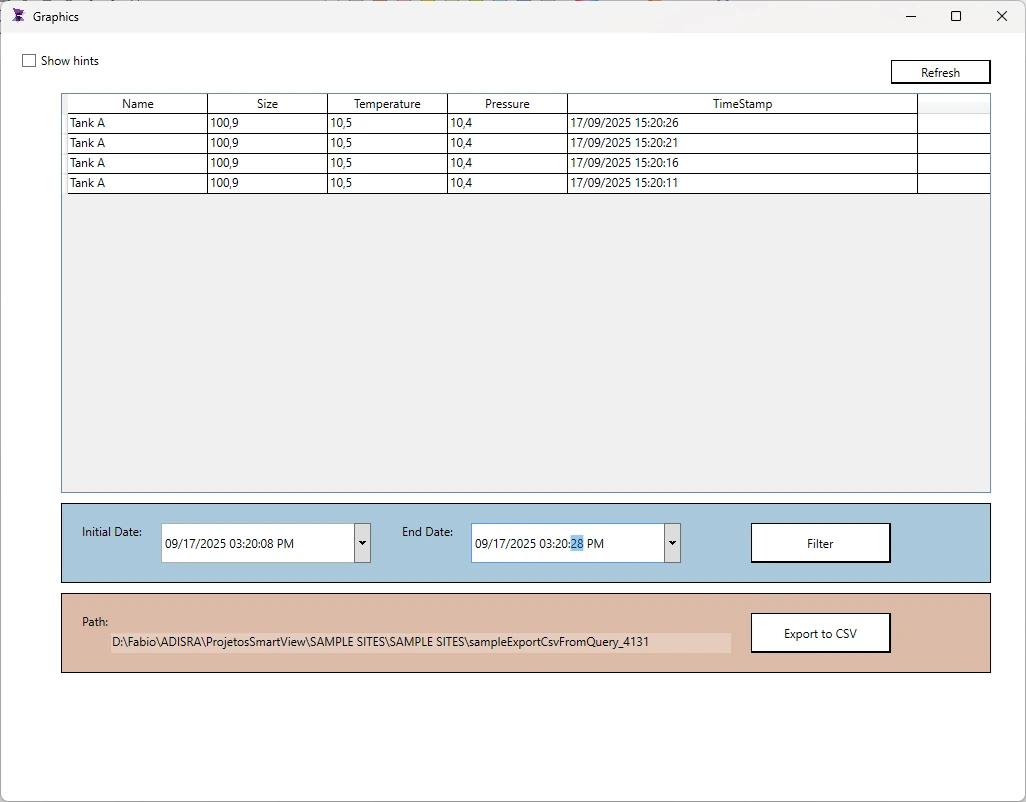
Get database records and export to csv — ADISRA SmartView screen

Get database records and export to csv

In this demo, you will learn how to query a database, show the data in a data grid and export that data to a csv file.

*You will need to install SQL Server and update the demo to connect to your database.

Features
  • Scripts/Queries
  • Scripts/Export to csv
  • DataGrid – FreeQuery
  • Database connection (SQL Server)
Download .zip
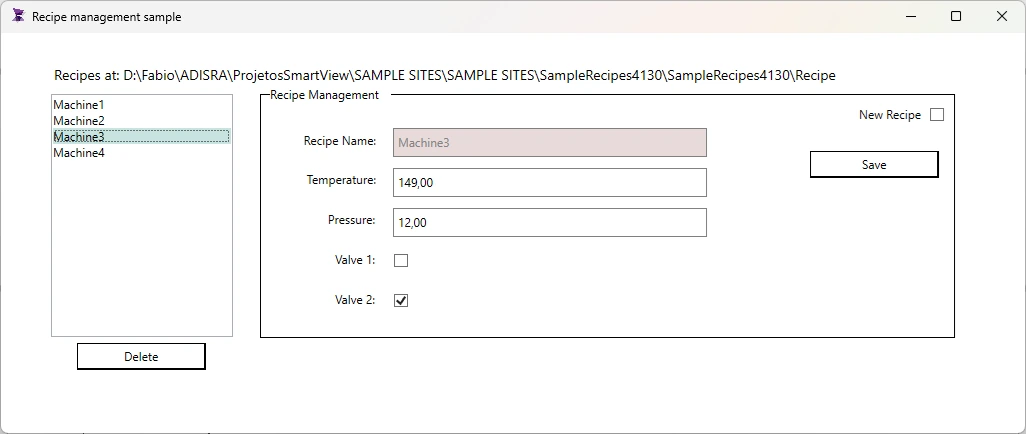
Recipe Management Sample — ADISRA SmartView screen

Recipe Management Sample

In this demo, you will learn how to create a Graphic screen to manage different recipes. You will learn how to load the recipes (using the Selection Changed script of the ListBox) and save a recipe using the save button.

Features
  • Scripts/Load and Save recipes
  • Recipes configured with a data type
Download .zip
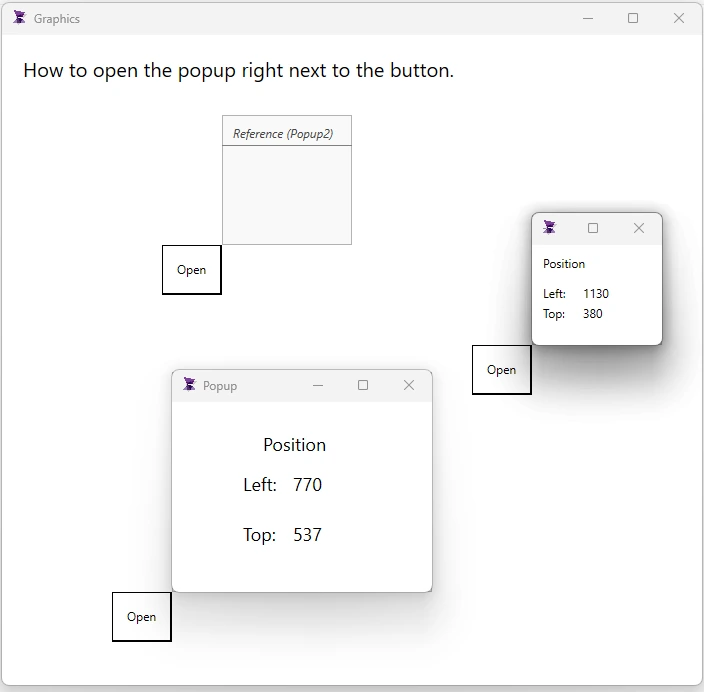
Open Graphics in different locations — ADISRA SmartView screen

Open Graphics in different locations

In this demo, you will learn how to open a screen in different locations. It can be very useful when working with more than 1 monitor.

Features
  • Graphics location using tags
  • Scripts/Open Graphics passing the top and left location.
Download .zip
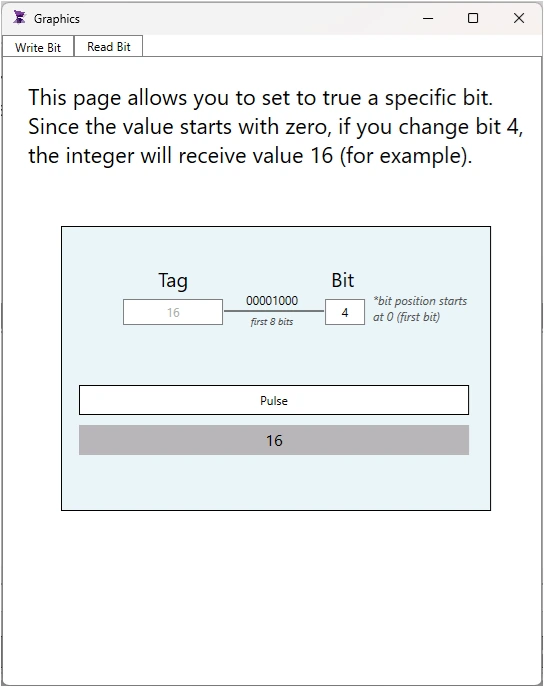
Reading and Writing Individual Bits in a Tag — ADISRA SmartView screen

Reading and Writing Individual Bits in a Tag

In this demo, you will learn how to use the SVTags to get and set bits of an integer tag.

Features
  • Scripts/SVTags.GetBit and SVTags.SetBit
  • Tab object
Download .zip
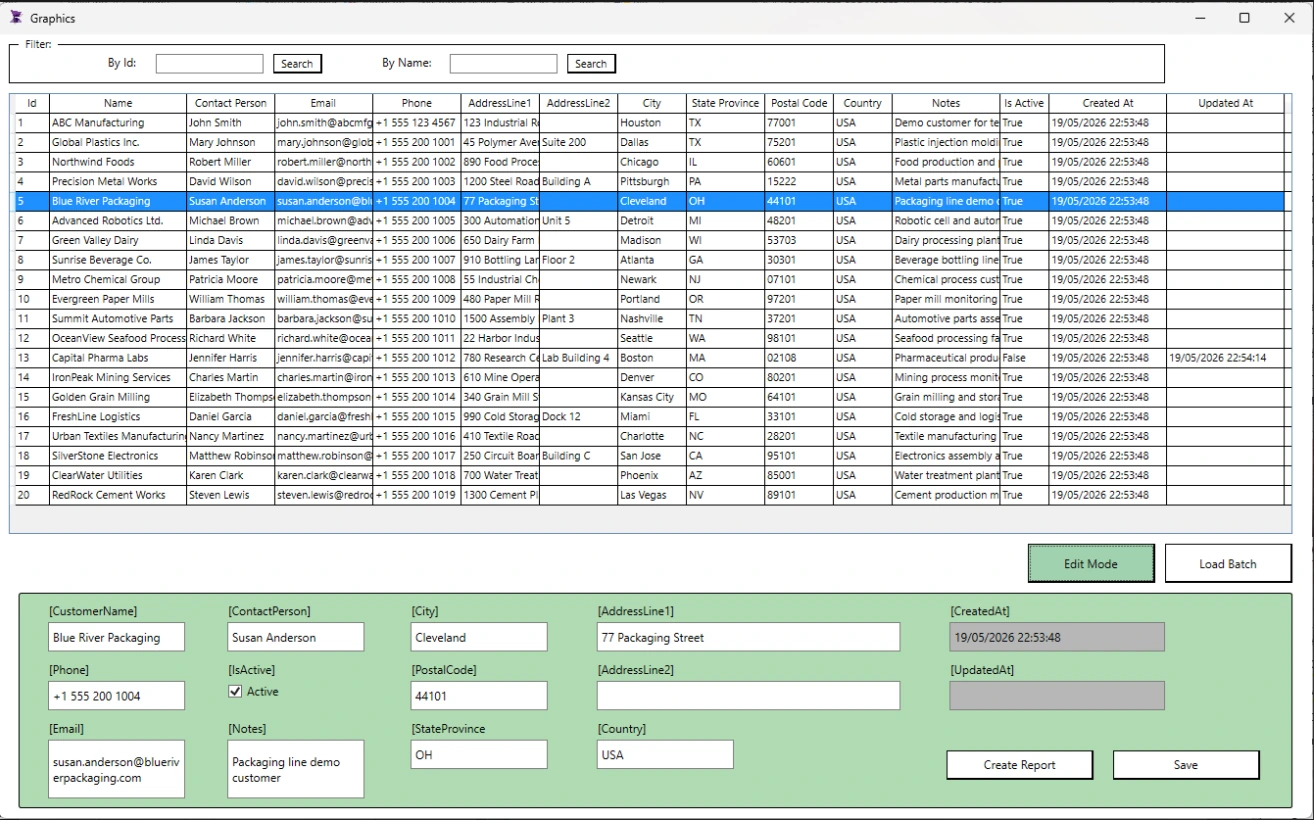
Database Management Demo — ADISRA SmartView screen

Database Management Demo

In this demo, you will learn how to create a SQL Server table on startup in case it doesn't exist and also insert, edit and filter records. It also generates a report for the selected record;

Features
  • Scripts/System Functions
  • SQL Server Database
  • DataGrid
  • Reports
Download .zip