
This guide preserves the original software documentation. Screens and instructions may vary by version.
Purpose of this article
This article aims to show you how to run the Low Code application.
How to Run the Low Code Application
- After installing ADISRA SmartView, download the LowCode application from the link below and unzip it on your desktop.
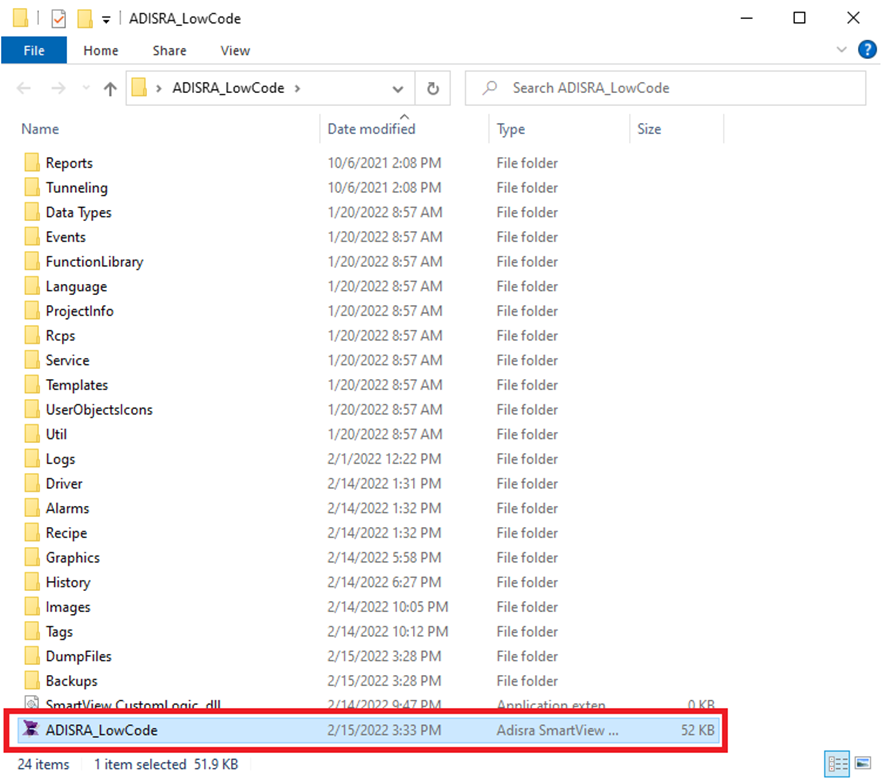
- Open the "ADISRA Lowcode" folder and run the "ADISRA_LowCode" file.
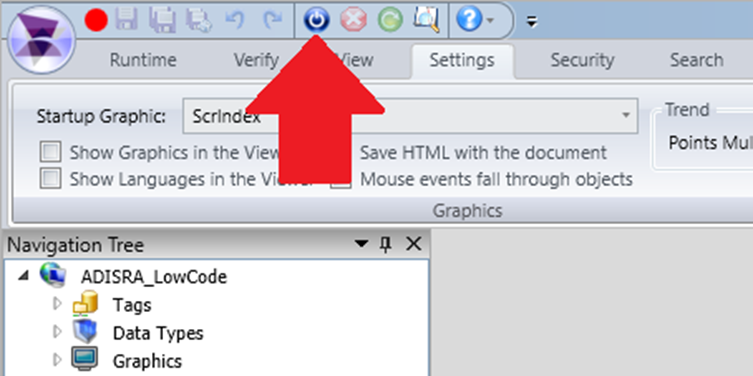
- Click the Run button as shown in the image below to run the application.
- After running the application, change the "guest" user to the "administrator" user to have full access to the application.
Login: Administrator Password: admin
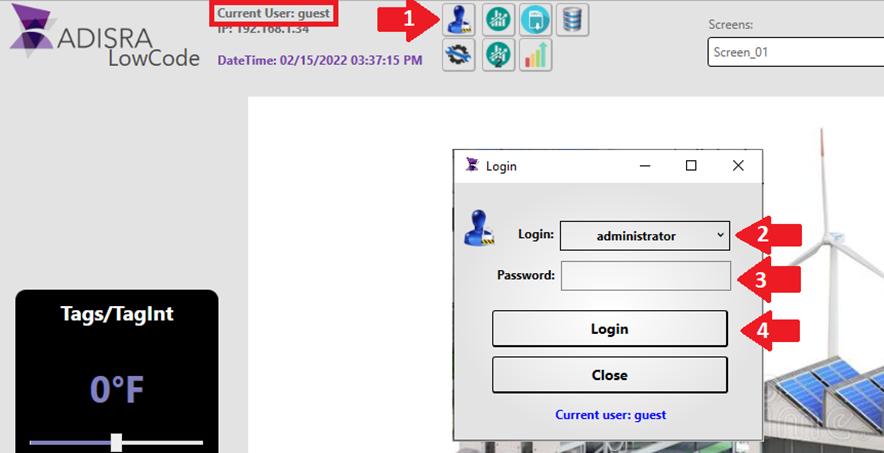
Note: If you want to access other users, follow the passwords below.
Login: guest Password: <blank>
login: operator Password: operator